
Download Now Approx size 7mb
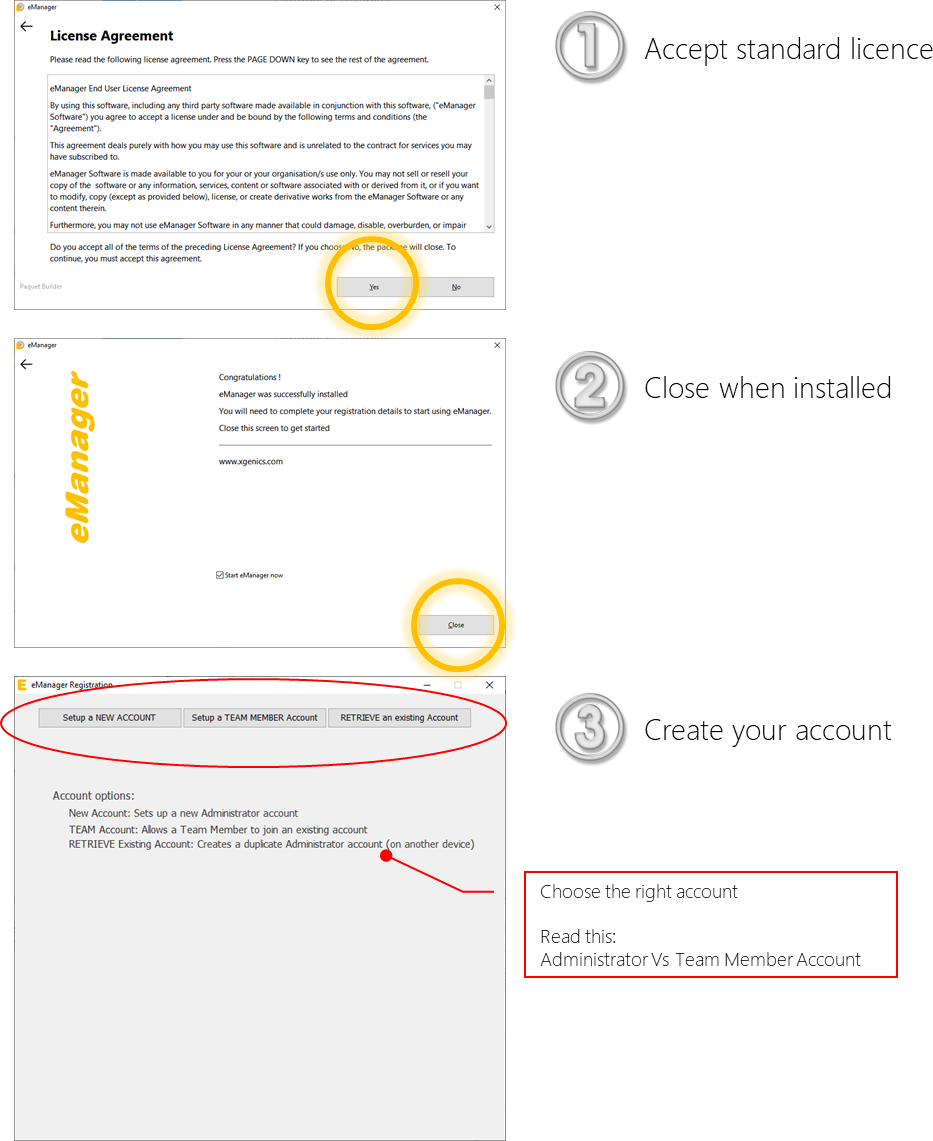
Installation is fast and simple
- This downloads a file called: eManager_Installation.exe
- Double click on it to install, it will update to latest version and restart, this is normal
- Then follow the on-screen instructions to set up your account
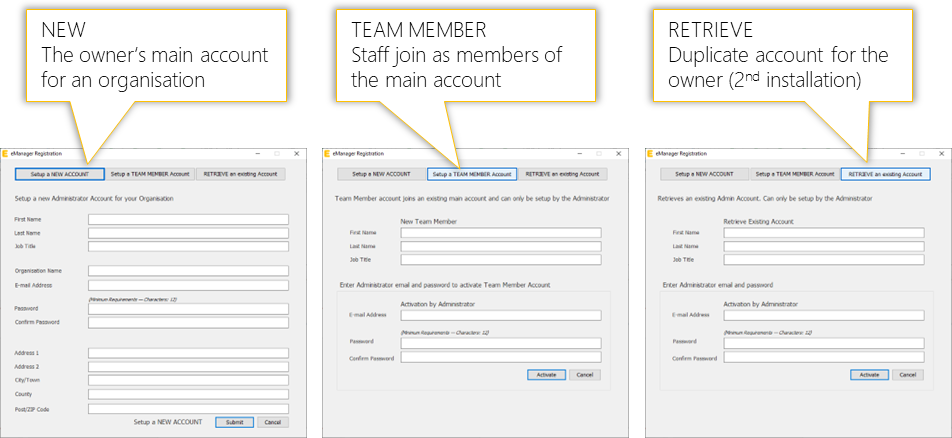
That's it, you're ready to rock!
Quick check that everything works:-
- eManager starts after you create account
- You can double-click to Add Channels
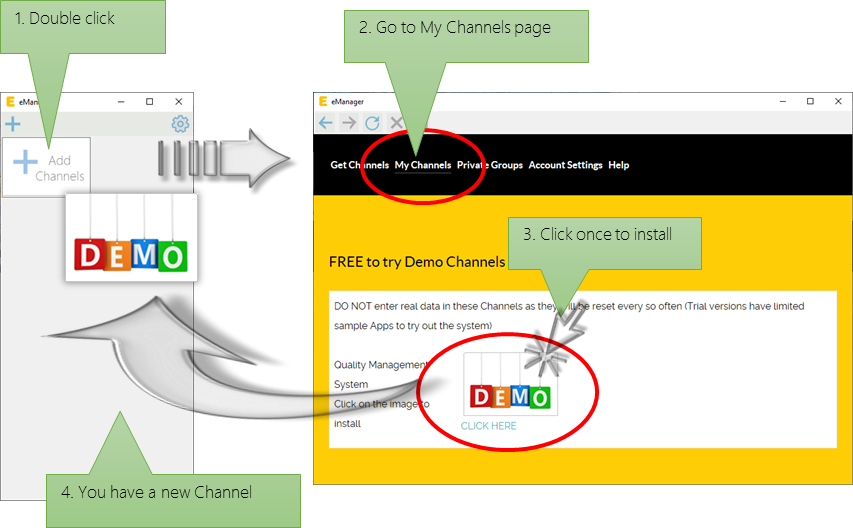
Check that everything works
- Double click the Demo Channel you just downloaded - see image above: "4. You have a new Channel"
- This will launch a new screen connecting you to the Demo Channel
- Test the Apps in that Channel to ensure everything works
Account activation
- Wait for confirmation of activation
- Click on Add New Channels (or the "+" icon in eManager) to connect to the web site
- Go to My Channels and add the new Channels